Shucking the Seagate Expansion Desktop 14TB
The enclosure gives up a dual-actuator Exos MACH.2 instead of a consumer drive, and the price math that still makes externals worth opening
Overview
When I was planning the homelab box, the last big piece was bulk storage, 14 TB of it. The cheapest way I found to get there was to buy a drive sealed inside a USB enclosure and keep the drive. Bare enterprise drives hold their price, but the same drive inside an external goes on sale, and that price gap is why shucking is still a thing. So the plan was simple: buy a Seagate Expansion Desktop 14TB on sale, crack the shell, and put whatever I found inside into the NAS case.
Shucking ends the warranty, and what you get is a lottery: Seagate ships whatever its production lines put in the bin that week. Mine turned out better than I expected. The drive is now the bulk pool of the homelab box; the build itself is in Assembling the homelab box.
The hunt
The timing was bad and I knew it. Datacenters had started buying up every kind of memory, spinning disks included, and drive prices were only headed up. When that wave lands, the sale you are waiting for never comes back.
I had been watching prices for a while: shucks.top ↗ has been sitting in my NAS planning notes since 2023. This time I used Disk Prices ↗ as my reference. It ranks every drive by price per terabyte across retailers, and filtered to Canada it gave me a real number that any deal had to beat.
The cheap enterprise drives people usually recommend come from ServerPartDeals ↗ and GoHardDrive ↗, two US-based sellers of recertified datacenter drives. From Canada, the exchange rate, shipping and customs fees eat a real chunk of what those prices promise. The Western Digital store was the other option I looked at: a 10% sign-up discount that stacks with occasional promotions on the bigger drives, which made new externals genuinely interesting.
In the end I bought from none of them. I found an eBay.ca listing instead: shuckable Seagate Expansion Desktop 14TB units, priced right, in Canadian dollars, with no customs surprises. And the RedFlagDeals thread on that exact drive ↗ gave me the final push: people opening those boxes were finding Exos drives inside. So I ordered one and hoped for the best.
The enclosure
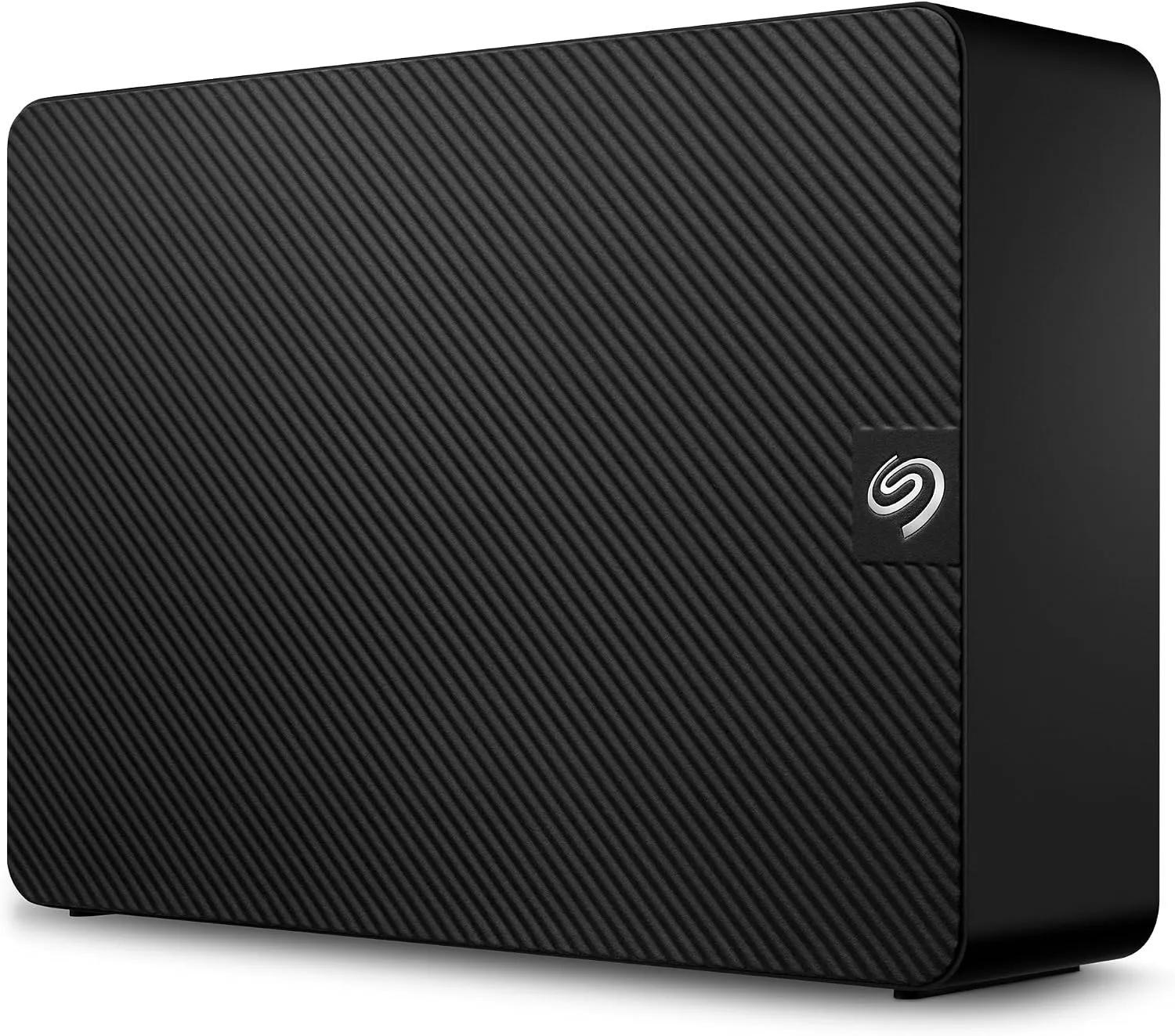
The Expansion Desktop is Seagate’s no-frills external: a plastic shell around a regular 3.5-inch SATA drive, USB 3.0 on the back, a wall adapter for power, and a generic backup software bundle nobody asked for. Seagate closes the shell with plastic tabs and not a single screw, so opening it was never part of the design.
Opening it
No screws means prying. I ran a spudger along the seam and popped the tabs one by one. The tabs snap rather than release, so there is no opening this thing gently. Inside, the drive sits in its own tray, surrounded by green shock-absorption foam blocks glued to the frame. The foam scrapes off with a thumb, and four screws later the drive was in my hand.
What was inside
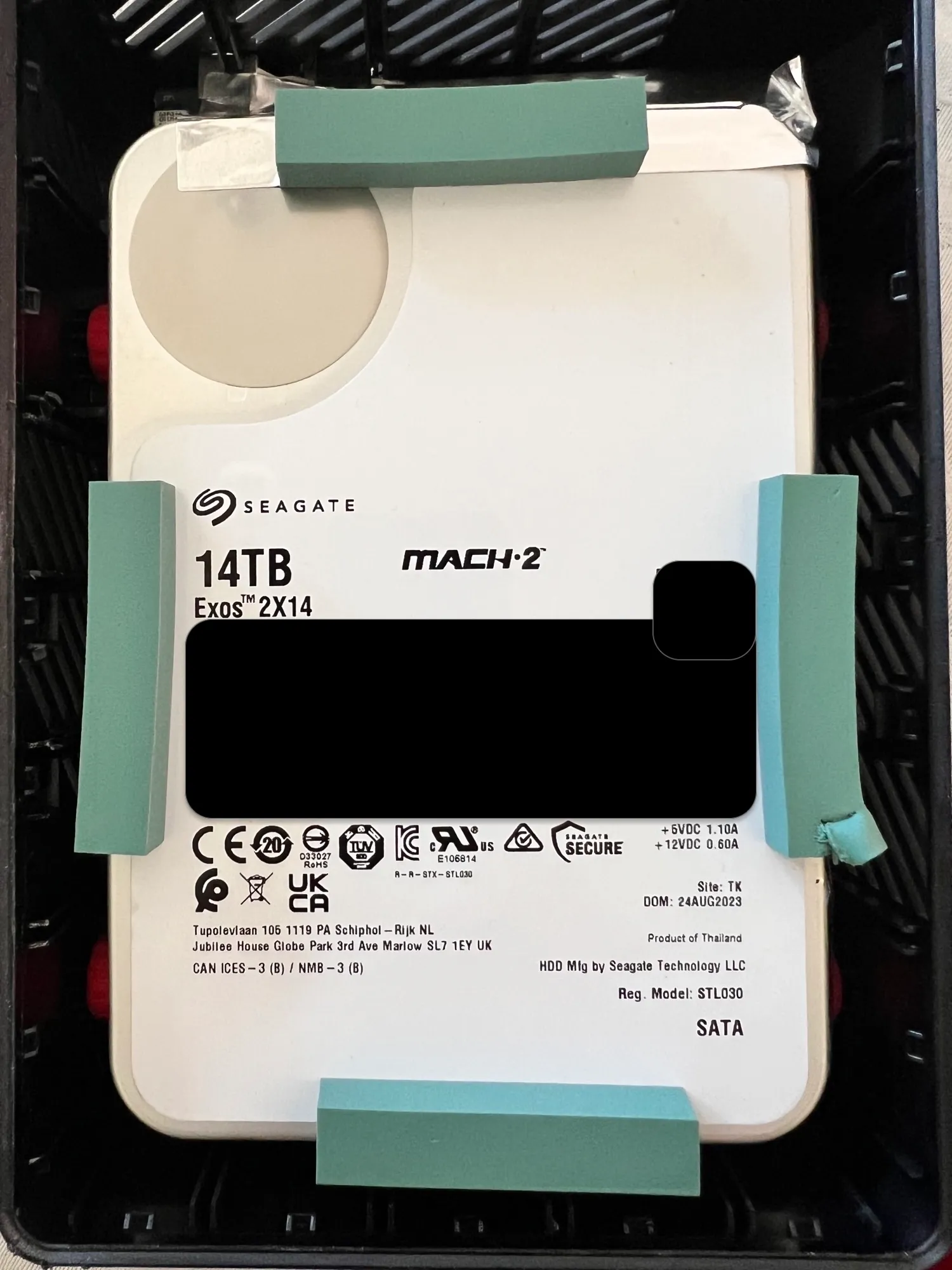
This is the part of the shuck where you find out what Seagate put in the box. If you shuck a 14 TB Expansion Desktop, you expect a Barracuda-class consumer drive or a white-label OEM disk. The label on mine read Seagate Exos 2X14, model ST14000NM0121, MACH.2 on it, SATA 6 Gb/s, manufactured August 2023 in Thailand.
Seagate does not tell you what is inside before you buy, so what I could do was read what other people found: since late 2023, more and more people opening Expansion Desktop 14TB units have been finding the dual-actuator Exos 2X14. My unit was made right in that window, and the label confirmed it. An enterprise drive for external-drive money. I got lucky.
What MACH.2 means
MACH.2 is Seagate’s dual-actuator design: two independent actuator assemblies in one 3.5-inch chassis, each covering half the platters, with the firmware presenting both as a single 14 TB volume. Two sets of heads means two seek paths, which is where the performance comes from: roughly double the sustained throughput and IOPS of a regular single-actuator drive from the same generation.
For me, that shows up in a simple way: the photo backup, the media library scan and the nightly vzdump all land on this one disk, and the queue clears instead of stacking up behind a single set of heads.
Into the box
I dropped the drive into one of the Jonsbo N4’s hot-swap bays, connected through the Fujitsu 9300-8i in IT mode, and the ZFS pool came up as utank. How the whole box came together is its own post: Assembling the homelab box.
Closing
So, final tally: I gave up the external’s warranty and spent about ten minutes breaking plastic tabs, and in return I got a dual-actuator enterprise drive sitting in a bay where a swap is just opening the front of the case. Would I do it again? Yes, eyes open: the lottery is real, Seagate does not owe anyone an Exos, and the math only works if you would have bought the bare drive anyway.