Family document intake with paperless-ngx
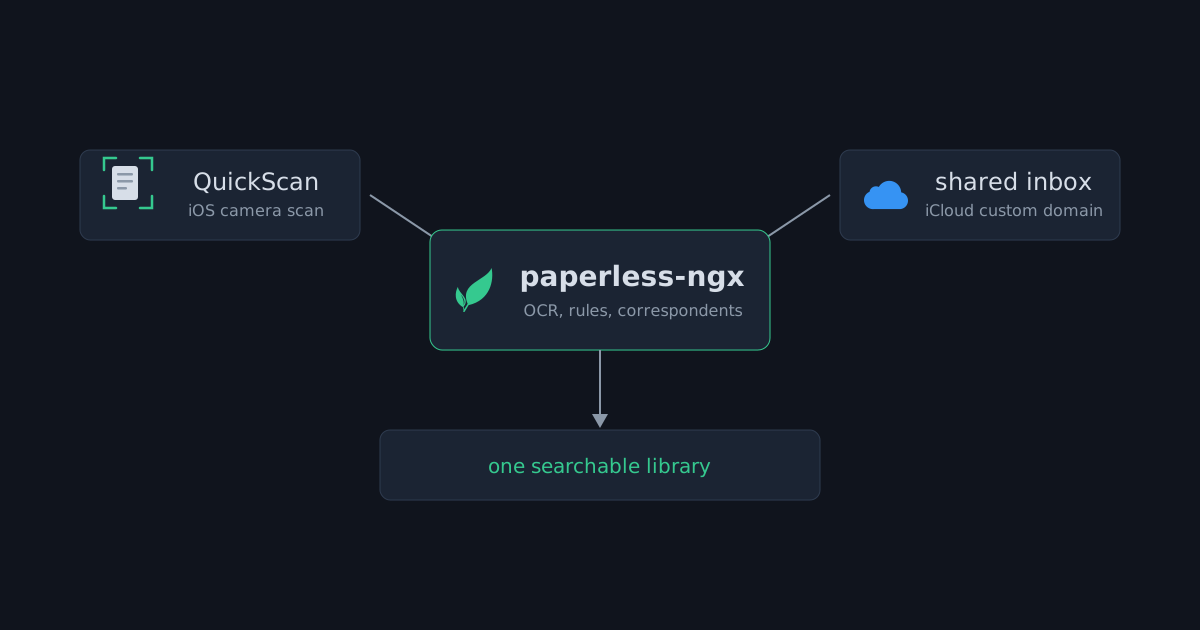
One shared inbox and a one-button iPhone scanner feed the household archive, where per-sender rules assign ownership and full-text search does the rest
Overview
Every household ends up with the same pile: bills, tax documents, insurance letters, school forms, medical reports, and the receipts that feed expenditure tracking. The single-box homelab already runs paperless-ngx as its document engine, OCR on everything, correspondents, tags and full-text search. What it did not have was a way for the family to get paper into it. I set this up for my wife and my siblings, who are young enough to be tech savvy but not yet old enough to keep documents of their own; four people, one pile.
The answer was to stop teaching anyone a new tool. Paperless-ngx sits in the middle and accepts documents through two paths that everyone already knows: a camera, and email. One family member scans straight from an iPhone, everyone else sends mail to a single address, and per-sender rules inside paperless-ngx sort out who owns what.
The engine
Paperless-ngx runs as its own unprivileged LXC in the homelab stack, in the same tier as the password manager and the git server. It stores nothing clever: a consumption directory, a database, and OCR over everything that enters. Documents get matched into correspondents, tags and document types, and from that point the family searches instead of digging through drawers.
The web interface is the only public-facing surface this service has, and it goes through the same chain every other public service uses: Cloudflare Tunnel into Caddy for TLS, Authelia in front for single sign-on with two-factor. No inbound ports are opened for it. Family members sign in the same way they sign in to everything else on the box.
The scanner already in every pocket
For the family members who are least comfortable with technology, the intake tool is QuickScan ↗, a free iOS scanner app with no ads and no data collection. It matters less which scanner app it is and more what it does well:
- it uses the familiar iOS camera scan flow, with automatic document detection and angle correction, so the phone does the framing
- OCR runs entirely on the device and produces a searchable PDF before anything leaves the phone
- paperless-ngx is a first-class export destination, so the pipeline has no WebDAV workaround in the middle
So the workflow is: point the camera at the letter, confirm the page borders, tap export. The app talks directly to the paperless-ngx server through its public hostname and authenticates with its own API token, per phone. There is no account to create, no folder to browse, no concept of a server at all, just a camera and a single button that means “file this”.
One inbox for everyone
The second path meets everyone else where they already are: their mail app. The family shares an iCloud+ subscription, and its custom domain support means the household has real addresses on its own domain. One of them is a dedicated intake address: every family member, on any device, forwards or composes mail to that single address and attaches the document. No subject, no message, nothing typed; the per-sender rules key on the address, not on the words, and the household is lazy enough that this was a hard requirement. Scan it with the built-in mail app camera, forward the school newsletter, photograph the lab result; the sender does not need to think about it at all.
Inside paperless-ngx, a mail account is configured against that inbox over IMAP. Apple requires an app-specific password for third-party IMAP access, so the integration gets its own credential and nothing else in the Apple ID is exposed. Paperless polls the mailbox on its default schedule of every ten minutes (PAPERLESS_EMAIL_TASK_CRON if it ever needs tuning), checks each mail against the rules, and consumes the attachments it finds.
For recurring senders, even the forwarding step is automated away. iCloud Mail runs server-side rules that move known senders straight into the family mailboxes as their mail arrives, which is how the electricity bill files itself without anyone touching a phone. Each rule is named for what it feeds:
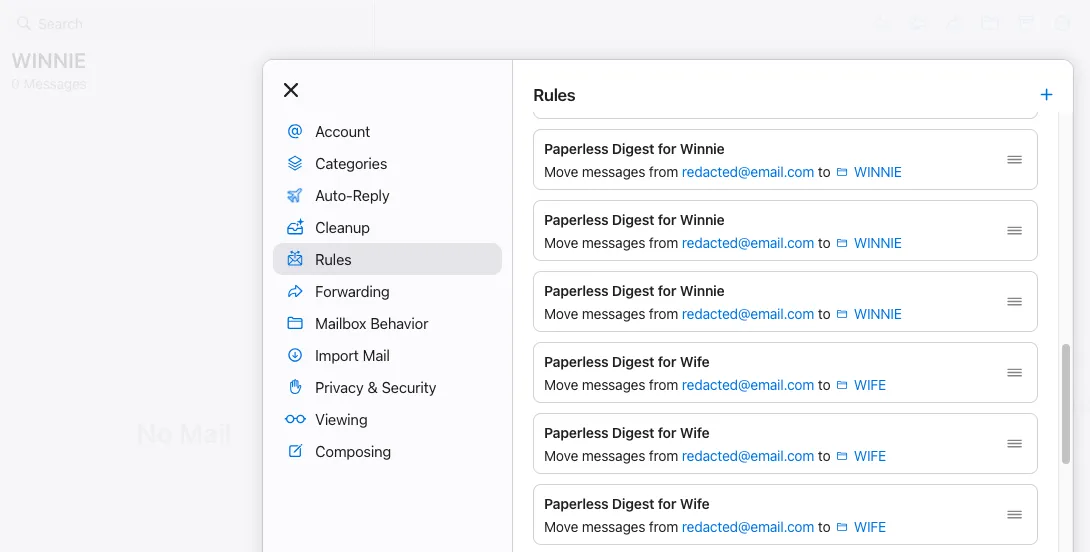 Server-side iCloud rules route each recurring sender to the right family mailbox; nobody forwards anything.
The from address becomes ownership
The interesting design decision is what happens after the mail arrives. Nobody is asked to classify anything, so the classification comes from metadata the family cannot get wrong: who sent the mail.
Each family member has a mail rule keyed on their from address. When mail matching that sender arrives, the attachment is consumed and the rule assigns the document its correspondent and the ownership that goes with it. From there, paperless-ngx’s own matching takes over and fills in tags and document types by content, so a document lands classified, owned and searchable without a single manual step.
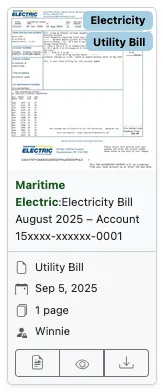 A consumed electricity bill: correspondent, document type and owner assigned before anyone opened the app.
Paperless-ngx tracks processed messages by IMAP UID, so the same mail is never consumed twice, and every processed message is reviewable under Mail > Processed Mails, which doubles as an audit trail of what arrived and when. Rules can also clean up after themselves, deleting or flagging consumed mail so it does not pile up in the intake inbox.
Security posture
Nothing about this pipeline requires trusting a third party with the documents. The scan path is device OCR into a token-authenticated API behind Caddy and Authelia. The mail path is paperless-ngx pulling from iCloud over IMAP, an outbound connection, with no listening service anywhere. Inside the perimeter, the usual homelab rules apply: unprivileged container, state on the ZFS pool, everything swept into the nightly backup jobs from the homelab post, and protected by the tuned Proxmox Backup Server datastore.
This is the same balance Vaultwarden had to strike as the family password manager: secure enough to hold the household’s sensitive documents, and friendly enough that nobody gives up at the login screen and leaves the important letters in a drawer. Everything in the perimeter above stays invisible to the family; what they touch is a camera button, an email address, and a sign-in they already use for everything else on the box.
The app’s OIDC login
Per-phone tokens still need a first login, and that login was the one spot where the phone refused to behave like the browser. The app signs in through Authelia’s OpenID Connect flow, the same provider the web UI uses, but a browser flow can keep a client secret on the server while a phone cannot, and the first token exchange failed with invalid_client because the client registration did not allow the 'none' token endpoint auth method the app was sending:
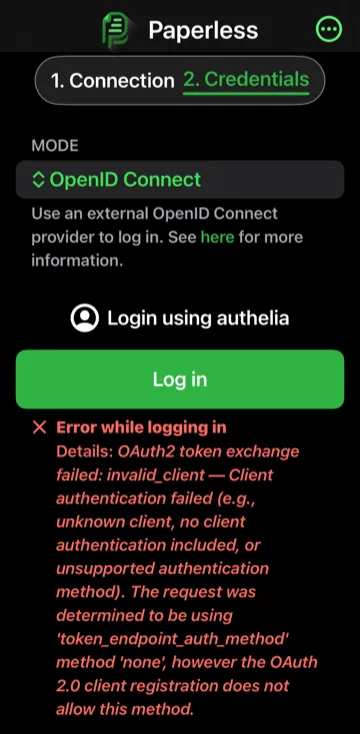 The app’s OpenID Connect mode, mid-debugging: the token exchange rejected because the client registration did not allow the ‘none’ auth method.
client_name: 'Paperless-ngx'
public: true                               # 1. MUST be true for mobile apps
authorization_policy: 'two_factor'
require_pkce: true                         # 2. MUST be true (keeps the flow secure without a secret)
redirect_uris:
  - 'x-paperless://oidc-callback'          # 3. The mobile app callback
token_endpoint_auth_method: 'none' # 4. MUST be 'none' (Expects no client secret)Closing
QuickScan turns a phone into a one-button scanner for the people who need exactly that, and a single shared inbox on the family domain catches everything else from everyone else. The per-sender rules do the sorting that nobody wanted to do manually, and the whole household ends up in one OCR-indexed library without having learned anything new. That was the requirement, and it holds.
The loop closes at the printer, of all places. A Canon with AirPrint sits on the home network, so anyone at home can send a document to print, wirelessly, from any device. Away from home, AirPrint cannot reach across the internet, so the move is the tag: mark a document to-print in the archive and the automation takes over, leaving the page in the tray for whenever we walk back in.